Become a Professional Web Designer
Learn UI/UX, HTML, CSS, JavaScript, responsive design, Figma, and real-world projects. 100% placement assistance with portfolio development.
Design real modern web interfaces
Build responsive websites
Create your personal portfolio
100% interview preparation
Why Learn Web Designing?
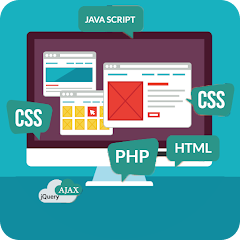
Web Designing is the foundation of every modern website — learn UI/UX, responsive design, and front-end skills used by top companies worldwide.
Creative Career
Develop your creativity by designing visually appealing and user-friendly websites.
High Demand Skills
Learn HTML, CSS, JavaScript,Bootstrap and modern frameworks to meet industry needs.
Responsive Design
Create websites that work seamlessly on desktops, tablets, and mobile devices.
Freelance & Jobs
Gain skills that open doors to freelance projects and web development careers.
Course Highlights
Live Instructor-led Sessions
Master HTML, CSS, JavaScript, Figma, and UI/UX with expert guidance.
Real Website Projects
Design and develop responsive websites and landing pages for portfolios.
Portfolio & Resume Prep
Create your personal portfolio website + get interview preparation.
Small Batch Size
More personalised attention with small batches for better learning.
Resources & LMS Access
Access notes, templates, design assets, and project files anytime.
What You Will Learn
Comprehensive modules designed to take you from beginner to professional Web Designer.
- What is Web Designing?
- Difference between Web Design & Web Development
- Internet Basics & How Websites Work
- Frontend vs Backend
- Understanding Domain & Hosting
- Website Flow, Structure & User Experience Basics
- Tools & Software used in Web Design
- Career Opportunities in Web Designing
- Introduction to HTML
- HTML Tags, Elements & Attributes
- Forms, Tables & Semantic Tags
- Audio/Video Embedding
- SEO-friendly HTML Structure
- HTML5 Features & Best Practices
- CSS Basics: Selectors, Properties, Values
- Colors, Backgrounds, Borders, Shadows
- Flexbox & Grid Layout
- Media Queries & Responsive Design
- Animations & Transitions
- Creating Professional Web Layouts
- JavaScript Basics
- DOM Manipulation
- Events & Interactivity
- Sliders, Popups, Navigation Menu
- Form Validations
- JSON Basics
- What is UI/UX?
- UI Principles & Color Theory
- Typography & Spacing
- Wireframing & Prototyping
- Figma Interface & Tools
- Designing Website Mockups
- Introduction to Bootstrap
- Grid System & Utilities
- Navbar, Cards, Modals
- Responsive Website Building
Tools & Technologies












Industry-Relevant Projects You'll Build
Practical website projects for a job-ready portfolio.
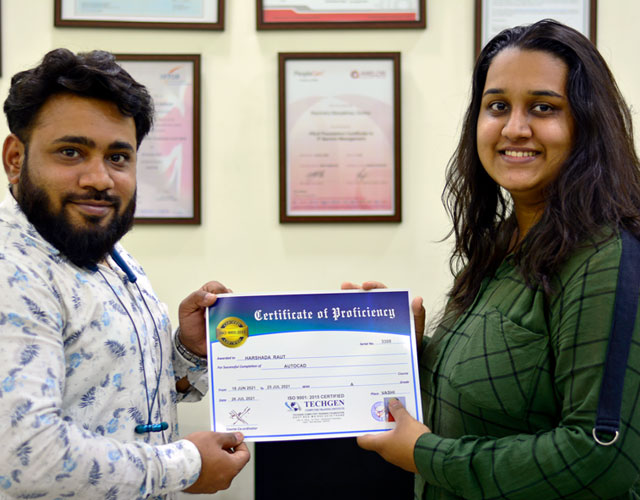
Get certified by TECHGEN
Gain a competitive edge in today’s fast-evolving tech landscape with a TECHGEN Certification. Our industry-recognized programs are designed to equip you with practical skills, real-world knowledge, and hands-on experience that employers actually look for.
At TECHGEN, learning goes beyond theory. You’ll work on live projects, real case studies, and industry-relevant tools guided by experienced professionals. Every certification is crafted to meet current market demands—helping you stay job-ready from day one.
Get Certified. Get Skilled. Get Ahead — with TECHGEN.
Testimonials

“I enrolled for Advanced Excel course and my learning experience is so good in this institution here my trainer is a working professional and the way he is teaching is amazing.My entire concept about advanced Excel is crystal clear. All the Excel formulas are covered practically with live examples.Techgen computer institute is the best place to learn any computer related courses.”
Apurva Peters
Student / Learner
“I have recently finished my digital marketing course and I got immediate placement supports from techgen. They are the having highly knowledgeable trainers who provides practical training as well as interview cracking techniques. The management is also very caring towards their students. True to every word what they promised. I will highly recommend.”
Devman Bharti
Student / Learner
“The level of support from start to end which I got from techgen institute was very important for me. Their teachers are so amazing I enrolled here for Data Analytics course and I got excellent training with live projects. The most important thing for me is that the institute provides me a job placement. I will highly appreciate their teachers and management for their support.”
Nagendra Singh
Student / Learner
“I really appreciate that the majority of the course is focused on practical teaching it provides the opportunity not only to gain the practical knowledge but also apply it in a real classroom. I joined Data Analysis course and the institute feedback is wonderful. All the management and teachers are very cautious and careful about their students. They are the best team of highly experienced trainers.”
Tanisha Chauhan
Student / Learner
“The most important thing for any candidate is job placement and their proper training for the job prospects.when I joined this institute from starting to end the support i got in training and placements is very important for me. I have completed Data Analytics course and got placed immediately the institute provided me full support in terms of everything. Thanks to them for their proper guidance and placements.”
Zuber Khan
Student / Learner
“I had a great learning experience at Techgen Computer Institute. I enrolled for the CCNA course under Mahendra Sir, and his teaching was very clear, practical, and easy to understand. The concepts were explained with real-world examples, which made networking much simpler to grasp. I truly appreciate the guidance and support provided, and I highly recommend this institute for anyone looking to build strong networking skills”
Vaishnavi Hanji
Student / Learner
“It is a really very great institute all the trainers are very helpful and highly knowledgeable . I have done Data Science with python course and my experience is amazing here teachers are personally caring to each and every student. I got the placement supports also from Techgen .”
honey siddiqui
Student / Learner
“They are the experts. I joined the CCNA course and received excellent training. My trainer, Mahendra Sir, has extensive experience in networking and guided me through the Cisco Certification process. Thanks to his mentorship, I successfully cleared the CCNA exam. Additionally, I received great placement support from TechGen Vashi.”
Nisha Hussain
Student / Learner
“I joined data analytics course and the curriculum was well structured and comprehensive. The instructors were highly knowledgeable and provided personalized attention and ensuring that each student understand each topic very well. Overall it was a great experience for me to join here”
Santosh kadam
Student / Learner
Enroll Now
Fill the form and our counselor will contact you.
Our Alumni's Employment Destinations